
Online booking
An online booking system that knows how long the work takes
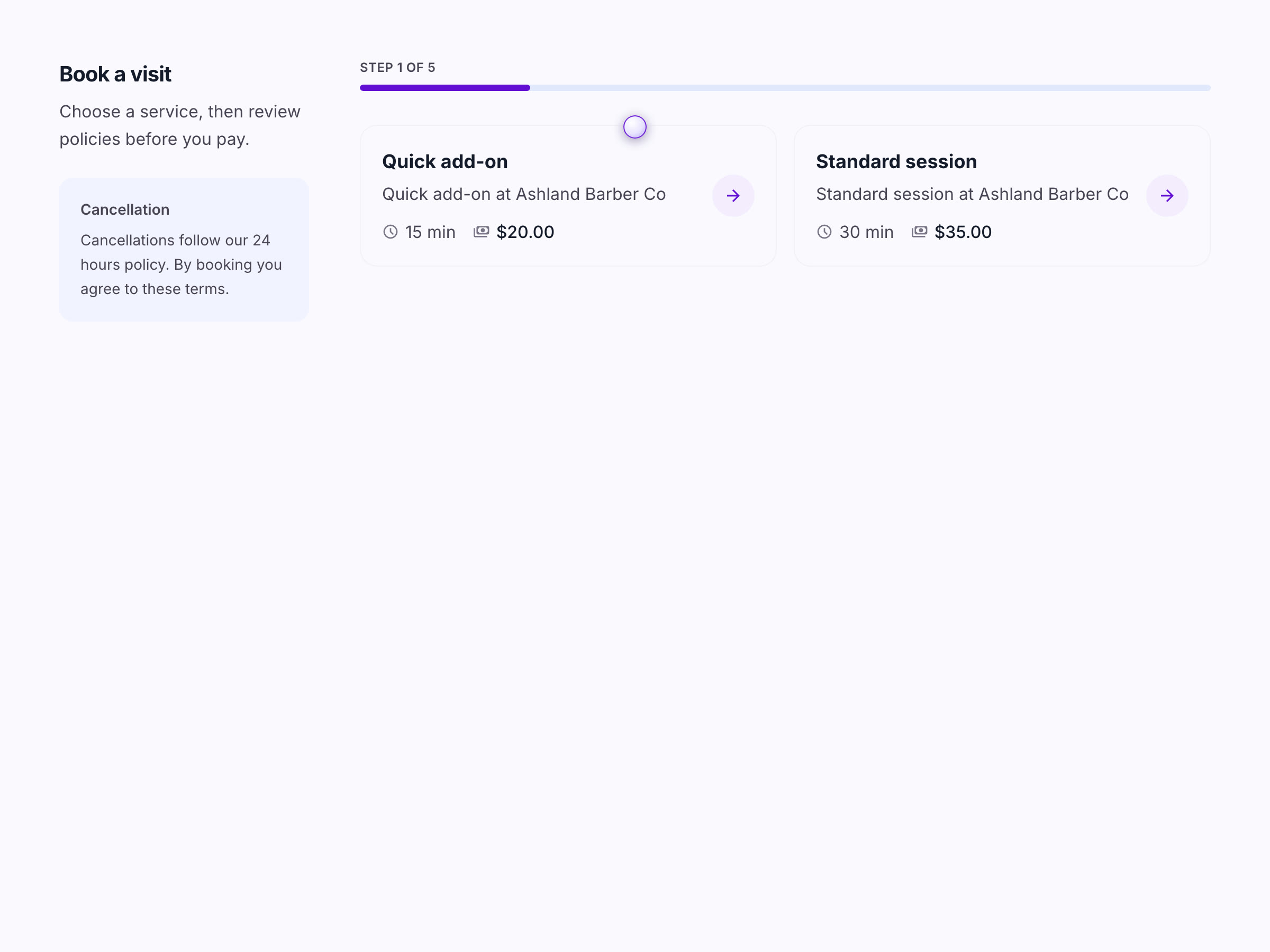
Clients pick a service, a person and an open time from your link. Times come from your real service lengths, your buffers and each person's hours, so a two-hour color never gets squeezed into a 30-minute gap.
Online booking
What your booking page handles
- 01
Every service has its own length and price
Set the duration, the price and a note like "from $85". Add setup or travel time before and cleanup after. Both block the calendar, so nobody gets booked into your drive between jobs.
- 02
Add-ons and tiers change the time and the total
A beard trim added to a cut can add 15 minutes and $15. Pricing tiers let a client choose one option, like short, medium or long hair, and the slot length follows.
- 03
Ask what you need before they book
Attach an intake form, require an address for mobile work, or ask which pet, vehicle or child the visit is for. Clients can add a new one without leaving the booking.
- 04
Standing appointments
Clients can ask for the same time every few weeks, with an optional end date. You can turn any booking into a series yourself: weekly, every two weeks, monthly, or on several weekdays.
- 05
Guests book without an account
They confirm their email with a one-time code, and the page screens out bots before a time is held. Later they can reschedule or cancel on their own, inside the window you set.
- 06
Quote-first services
Some work can't be booked blind. Mark a service as "Request this service" and clients send an inquiry with your questions instead of picking a slot. You reply with a quote.
The specifics
Details worth knowing
- Times are offered on a 15-minute grid in your business's time zone.
- Nothing can be booked less than 15 minutes from now.
- If two people try for the same time, the second is told it was just taken and picks another.
- Your booking link comes with a QR code for the counter or a flyer.
- Confirmation email at booking, then reminder emails 24 hours and 1 hour before.
- Clients with an account see upcoming visits, pay a balance and book again from one page.
Common questions
Questions about online booking
Do my clients need to download an app or create an account?
No. They book from your link in any browser. Guests confirm their email with a one-time code. Anyone who wants an account can keep one to see upcoming visits, pay a balance or book again.
Can clients choose a specific staff member?
Yes, on the Business plan. Clients can pick a person or take the first opening. Each person's weekly hours, blocked time and service list decide what they can be booked for.
Are appointment reminders sent by text?
Reminders are sent by email, 24 hours and 1 hour before the appointment. Stability doesn't send appointment reminders by text message today.
Does it sync with Google Calendar?
Not yet. Bookings live in Stability's calendar, which you and your staff can open on a phone or a computer.
Where it's used
See it set up for your trade
- BarbershopsA barber booking app that holds the chair until they show
- Hair salonsSalon scheduling software that gives color the time it needs
- Massage therapistsMassage booking software with intake forms done before they arrive
- Mobile detailingMobile detailing scheduling software that knows the car and the address
Related features
Try it with your real calendar for 30 days.
No card to start. Import your clients, connect Stripe, and share your booking link the same afternoon.